
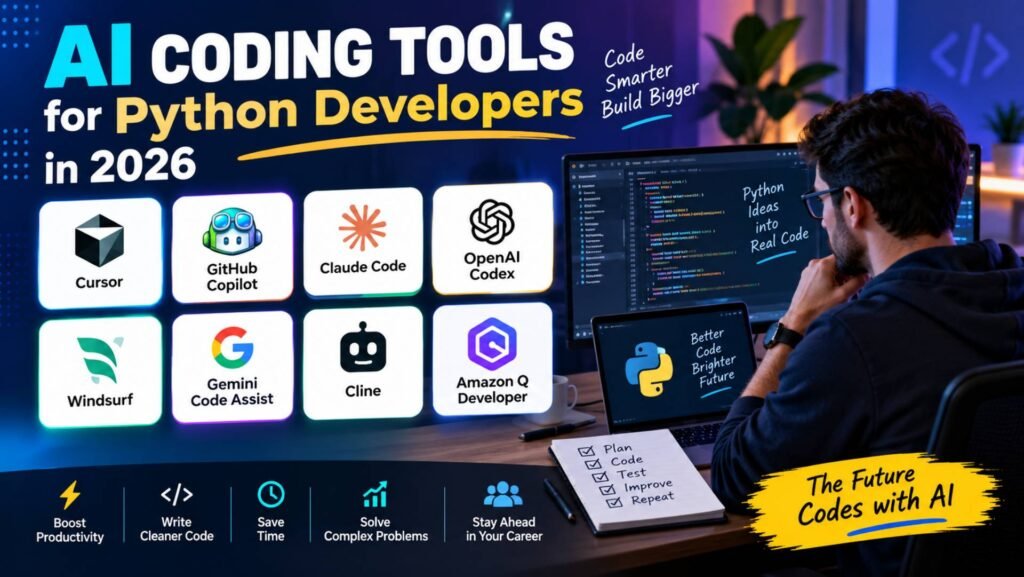
Python developers comparing AI Coding Tools for Python have more options to choose from in 2026 than ever before. But choosing one is no longer as simple as asking which assistant has the best autocomplete.
Modern AI coding tools can understand repositories, generate and refactor Python code, troubleshoot errors, write tests, work with terminals, inspect Git repositories, and perform multi-step development tasks. Some can even operate as coding agents that continue working on a feature while you review the results.
The problem is that Python developers have different needs from developers working primarily in other languages.
A Django developer may care about repository understanding, models, migrations, views, URLs, and tests. A FastAPI developer may prioritize API generation, type hints, Pydantic models, and automated testing. A data scientist may care more about Jupyter, pandas, NumPy, and iterative experimentation. A machine-learning engineer may prioritize Python libraries, notebooks, environments, and large repositories.
So the best AI coding tool for Python is not necessarily the tool with the most impressive general-purpose AI features.
For this guide, we evaluated the Best Python AI Coding Tools according to how well they fit real Python development workflows, including code generation, debugging, refactoring, repository understanding, testing, IDE support, terminal workflows, agentic development, model choice, pricing, and value., including code generation, debugging, refactoring, repository understanding, testing, IDE support, terminal workflows, agentic development, model choice, pricing, and value.
Our ranking is based on current product documentation and pricing information available in August 2026. We have not represented unperformed hands-on testing as personal testing.
● Cursor is the best overall AI coding tool for Python developers in 2026, thanks to its AI-first editor, repository understanding, agentic workflows, multi-file editing, debugging, and model flexibility.
● GitHub Copilot is the strongest choice for developers who want to stay inside VS Code, JetBrains, or GitHub workflows, offering strong autocomplete, code review, model selection, and agent capabilities without requiring a new editor.
● Claude Code and OpenAI Codex stand out for agentic development, especially when developers want AI to inspect repositories, run commands, troubleshoot failures, refactor code, and handle larger engineering tasks.
● The best tool depends heavily on the Python workflow. Cursor suits Django and large repositories, Copilot works well for existing IDE users, Claude Code fits terminal-heavy development, Gemini Code Assist suits Google Cloud, and Amazon Q Developer is strongest for AWS-focused projects.
● Python developers should compare more than code-generation quality or headline pricing. Repository understanding, testing, debugging, framework support, IDE integration, agentic capability, usage limits, and total cost matter more as AI tools move from autocomplete toward full development agents.
Top 8 AI Tools for Python Coding in 2026
| Rank | AI Coding Tool | Best For Python Developers | Main Advantage | Starting Price |
|---|---|---|---|---|
| 1 | Cursor | Best overall Python development | AI-first editor + powerful agents | $20/mo; ₹649/mo Start in India |
| 2 | GitHub Copilot | VS Code, JetBrains, and GitHub users | Broad IDE integration + GitHub workflow | Free; $10/mo Pro |
| 3 | Claude Code | Terminal-first Python development | Strong repository and agentic workflows | $20/mo Pro |
| 4 | OpenAI Codex | Autonomous Python development | End-to-end coding agents | $20/mo Plus |
| 5 | Windsurf | Cursor alternative | AI-first editor and Cascade agent | $15/mo Pro |
| 6 | Gemini Code Assist | Google Cloud Python development | Google ecosystem integration | Standard/Enterprise |
| 7 | Cline | Flexible, model-driven workflows | Control and model/provider flexibility | Free extension; model costs vary |
| 8 | Amazon Q Developer | AWS-focused Python developers | AWS integration | Free and paid options |
Pricing and usage models can change quickly. Cursor currently lists Pro at $20/month and its India-only Start plan at ₹649/month, while GitHub Copilot Pro is $10/month and Claude Code is included with Anthropic’s $20/month monthly Pro plan.
Our Top Picks
- Best Overall for Python: Cursor
- Best for VS Code Python Development: GitHub Copilot
- Best for Terminal-Based Python Development: Claude Code
- Best for Agentic Python Development: OpenAI Codex
- Best Cursor Alternative: Windsurf
- Best for Google Cloud Python Projects: Gemini Code Assist
- Best for Flexible AI Agents: Cline
- Best for AWS Python Development: Amazon Q Developer
1. Cursor — Best Overall for Python Developers


Cursor is our top overall choice for Python developers in 2026.
Most serious Python Coding Assistants can generate code, but that alone does not make them equally useful for production development.
Cursor stands out because it combines an AI-first editor with repository understanding, agentic development, multiple model options, debugging workflows, code review, MCP, skills, hooks, and cloud agents.
For Python developers working on anything larger than a small script, that broader workflow matters.
Cursor describes itself as a coding agent designed to understand codebases, plan and build features, fix bugs, review changes, and work with existing development tools.
Why Cursor works particularly well for Python
Python projects can become structurally complex surprisingly quickly.
A typical production Python repository might contain:
project/
├── app/
├── api/
├── models/
├── services/
├── tests/
├── migrations/
├── scripts/
├── requirements.txt
├── pyproject.toml
└── README.md
Generating one Python function is easy.
Understanding how a change to a Pydantic model affects an API endpoint, service layer, database interaction, and pytest suite is much harder.
That is where repository-level AI becomes valuable.
Cursor’s agent workflow is designed around this type of project-level work rather than only line-by-line completion.
Python workflows where Cursor makes sense
Cursor is particularly attractive for:
- Django applications
- FastAPI backends
- Flask applications
- REST APIs
- Python CLI applications
- Automation scripts
- Data-processing applications
- Machine-learning projects
- Large Python repositories
- Test-heavy Python projects
Key strengths
- AI-first development environment
- Repository understanding
- Agentic coding
- Multi-file editing
- Bug fixing
- Code review
- Multiple model choices
- MCP support
- Skills and hooks
- Cloud agents
- GitHub and other workflow integrations
Pricing
Cursor currently has a free Hobby plan and a $20/month Pro plan. Pro Plus is $60/month and Ultra is $200/month.
For developers in India, Cursor launched Start, a ₹649/month tax-inclusive plan with local INR billing and UPI support. It includes access to Cursor’s own model pool and cloud agents, but does not include the separate third-party model usage pool available on Pro and higher plans.
This is an unusually important pricing option for Indian Python developers.
The downside
Cursor’s pricing becomes more complicated for heavy agent users.
Different models consume usage differently, and Pro includes a separate pool for third-party models. Cursor says daily agent users often reach roughly $60–$100/month in total usage, while power users using multiple agents or automation can exceed $200/month.
So the $20 headline price should not be interpreted as an unlimited high-volume agent budget.
Choose Cursor if:
- You want an AI-first Python development environment.
- You work on multi-file projects.
- You want an agent to make substantial changes.
- You want to choose among different models.
- You regularly debug and refactor existing code.
Consider another tool if:
- You only want autocomplete.
- You want to remain entirely inside your existing IDE.
- You need highly predictable AI spending.
Verdict
Cursor is the best overall AI coding tool for Python developers who want AI to participate in the development process rather than simply suggest code.
2. GitHub Copilot — Best for VS Code and Existing Python IDE Workflows


If Cursor’s strength is changing the development environment around AI, GitHub Copilot’s strength is bringing AI into the environment you already use.
Among AI Tools for Python Developers, Copilot is an especially strong choice for those working in VS Code, JetBrains IDEs, Visual Studio, or GitHub-centered workflows.
Why Copilot is strong for Python
Python development often involves an established toolchain:
- VS Code or PyCharm
- GitHub
- pytest
- virtual environments
- Git
- pull requests
- CI/CD
- Docker
- cloud deployment
Copilot fits into that workflow rather than requiring you to move to a separate AI-first editor.
Its current paid plans include unlimited code completion, next-edit suggestions, cloud agent capabilities, code review, model selection, and access to third-party agents including Claude Code and Codex.
Python use cases
Copilot is particularly useful for:
- Python autocomplete
- Writing functions
- Generating classes
- Creating pytest tests
- Explaining unfamiliar Python
- Debugging
- Refactoring
- Writing documentation
- Working with GitHub pull requests
- Agent-assisted repository changes
Pricing
GitHub currently lists:
- Free: $0
- Pro: $10/month
- Pro+: $39/month
- Max: $100/month
- Business: $19/user/month
- Enterprise: $39/user/month
Copilot Pro includes $15 in monthly total credits under GitHub’s current credit system, while higher plans provide substantially more.
GitHub changed its billing approach in 2026, moving away from the previous premium-request model toward GitHub AI Credits.
Why this matters to Python developers
A Python developer who spends most of the day in VS Code may not gain enough from switching editors to justify moving to Cursor.
Copilot lets you retain your existing workflow.
That can be a significant advantage.
Strengths
- Excellent existing-IDE integration
- Strong Python autocomplete
- GitHub integration
- Code review
- Cloud agents
- Model selection
- Third-party coding agents
- Strong team and enterprise controls
Weaknesses
The product has become more complicated as agentic features and AI credits have expanded.
Heavy users need to understand their AI-credit allocation instead of assuming every advanced model interaction is unlimited.
Choose Copilot if:
- You use VS Code or JetBrains.
- Your team already uses GitHub.
- You want AI without changing editors.
- You want strong code completion.
- You want GitHub-native review and agent workflows.
Consider Cursor instead if:
- You want AI to be the center of the editor.
- You frequently delegate multi-file tasks.
- You want a more AI-first development environment.
Verdict
GitHub Copilot is the best choice for Python developers who want powerful AI assistance without changing their existing IDE and GitHub workflow.
3. Claude Code — Best for Terminal-Based Python Development


Claude Code is fundamentally different from traditional autocomplete tools.
It is designed as a coding agent that works from the terminal and interacts with your development environment.
For experienced developers exploring Python Development with AI, Claude Code is particularly compelling when substantial development work already happens in the terminal.
Why Python developers may prefer it
Python developers frequently work from the terminal:
python -m pytest
python -m uvicorn app.main:app
python manage.py migrate
python -m pip install ...
git status
An AI agent that can understand the repository, edit files, execute commands, inspect test failures, and continue working fits naturally into that workflow.
Claude Code is therefore less about:
“Complete this Python line.”
and more about:
“Understand why these five tests are failing and fix the underlying problem.”
Strong Python use cases
- Django debugging
- FastAPI development
- pytest troubleshooting
- Repository refactoring
- Dependency changes
- CLI applications
- Large Python projects
- Git workflows
- Multi-file changes
Pricing
Anthropic currently includes Claude Code with the Claude Pro plan at $20/month when billed monthly. Max 5x is $100/month and Max 20x is $200/month. Anthropic notes that usage limits apply.
Strengths
- Terminal-first workflow
- Strong agentic development
- Repository-level reasoning
- Multi-file modifications
- Test and command execution
- Excellent fit for experienced developers
Weaknesses
It is not the most natural choice if your primary requirement is traditional IDE autocomplete.
It also requires developers to understand how much they are delegating to an agent and how to review the resulting changes.
Choose Claude Code if:
- You live in the terminal.
- You work on substantial Python repositories.
- You want an agent to investigate and fix problems.
- You are comfortable reviewing AI-generated changes.
Consider Cursor or Copilot if:
- You prefer an IDE-centered workflow.
- You want continuous inline autocomplete.
- You are new to agentic development.
Verdict
Claude Code is the best Python coding tool for developers who want the terminal itself to become their AI development environment.
4. OpenAI Codex — Best for Agentic Python Development
OpenAI Codex is a strong option for AI-Powered Python Coding when developers want to delegate larger engineering tasks rather than rely only on code completion.
Codex is designed around end-to-end software-engineering work rather than only code completion. OpenAI describes workflows including features, complex refactors, migrations, code reviews, and automations.
Why Codex is interesting for Python
A Python development request might look like:
Add authentication to this FastAPI application, create the required models, update the tests, run the test suite, and fix any failures.
That is much closer to an engineering task than a code-completion request.
Codex is built for this type of delegation.
It can work across ChatGPT, an IDE extension, and the terminal. The Codex CLI can start inside a repository, explore unfamiliar code, plan changes, edit files, and run local development tools.
Python use cases
- Feature implementation
- Refactoring
- Migration work
- Test creation
- Bug fixing
- Code review
- Repository exploration
- Automation
- Multi-agent workflows
Pricing
OpenAI’s current Codex pricing page lists a Plus plan at $20/month with Codex available on the web, CLI, IDE extension, and iOS, with the ability to extend usage through ChatGPT credits.
Strengths
- Agentic coding
- Terminal support
- IDE integration
- Cloud-based workflows
- Code review
- Multi-agent workflows
- Strong fit for larger delegated tasks
Weaknesses
Codex is not simply an autocomplete replacement. Its biggest value appears when you are comfortable allowing an agent to work on a defined engineering task.
Usage can also vary considerably depending on task complexity and model selection.
Choose Codex if:
- You want to delegate larger Python tasks.
- You already use ChatGPT.
- You want terminal and IDE access.
- You value cloud-based agent workflows.
Verdict
Codex is one of the strongest choices for Python developers who want to move from AI-assisted coding toward AI-assisted software engineering.
5. Windsurf — Best Cursor Alternative for Python
Among the Top AI Coding Assistants, Windsurf is a strong option for Python developers who want an AI-first editor but prefer an alternative to Cursor.
Its central AI experience, Cascade, is designed around interacting with the codebase and carrying out development tasks.
Where it fits
For Python developers, Windsurf makes sense when you want:
- AI-first editing
- Multi-file changes
- Repository understanding
- Agentic workflows
- Code generation
- Integrated development workflows
Its current documentation lists a $15/month Pro plan with premium model access, Cascade-related usage, previews, and app deployments.
Strengths
- AI-first editor
- Agentic workflow
- Repository interaction
- Competitive headline price
- Strong Cursor alternative
Weaknesses
As with other agentic tools, usage limits and credit systems can make real monthly costs less obvious than the headline subscription price.
Best Python users
Windsurf is particularly worth considering if you want an AI-first editor for Django, FastAPI, Flask, or general Python applications but do not want to commit to Cursor.
Verdict
Windsurf is the strongest alternative to Cursor for Python developers who want an AI-first editor.
6. Gemini Code Assist — Best for Google Cloud Python Developers
Gemini Code Assist becomes more attractive when Python development is closely tied to Google Cloud.
Google positions it as an AI development assistant covering application development, deployment, and operations. It supports Python and is available through VS Code and JetBrains IDEs, including PyCharm.
Why Python developers may choose it
A Python developer working with:
- Google Cloud
- BigQuery
- Cloud Run
- Firebase
- Google APIs
- Kubernetes
- Data platforms
may benefit from an assistant that understands the broader Google ecosystem.
Important 2026 change
There is an important caveat for individual developers.
Google discontinued service for Gemini Code Assist IDE extensions and Gemini CLI for individual consumer accounts beginning June 18, 2026.
The current product is therefore particularly relevant to teams and organizations using the Google Cloud editions rather than developers relying on the previous consumer arrangement.
Strengths
- Python support
- PyCharm support
- VS Code support
- Google Cloud integration
- Enterprise-oriented capabilities
- Agent mode
- Cloud development workflows
Weaknesses
Its value is lower for Python developers who have little connection to Google Cloud.
Verdict
Gemini Code Assist is a strong specialist choice for Python developers building inside the Google Cloud ecosystem, rather than the default choice for every Python developer.
7. Cline — Best for Flexible Agentic Python Workflows
Cline is appealing to developers who want more control over their AI coding environment.
Instead of making the product itself the entire ecosystem, Cline can be configured around different model providers and development workflows.
Why Python developers may like it
Python developers who understand models, APIs, tokens, repositories, and configuration can build a more customized development environment around Cline.
That can be useful if you want to experiment with different models rather than being locked into one provider.
Strengths
- Flexible configuration
- Agentic development
- Model/provider choice
- Developer control
- Suitable for experienced users
Weaknesses
The same flexibility that attracts experienced developers can make Cline less beginner-friendly.
You may also need to manage model usage costs separately.
Verdict
Cline is a good choice for technically experienced Python developers who value control and flexibility over simplicity.
8. Amazon Q Developer — Best for AWS-Focused Python Developers
Amazon Q Developer is particularly relevant when Python is being used alongside AWS.
A generic AI coding assistant can generate Python code, but an AWS-focused assistant can be more useful when development involves cloud infrastructure and AWS services.
Python use cases
Amazon Q Developer is worth considering for developers working on:
- AWS Lambda
- Boto3 applications
- Serverless Python
- AWS APIs
- Cloud infrastructure
- AWS-based backend systems
Strengths
- AWS ecosystem integration
- Python development assistance
- Cloud workflows
- Enterprise capabilities
Weaknesses
Developers who rarely use AWS have less reason to prioritize it over general-purpose tools such as Cursor or Copilot.
Verdict
Choose Amazon Q Developer when AWS is central to your Python development workflow.
Best AI Coding Tool for Python by Use Case
Rankings of Python Developer AI Tools are useful, but the best choice depends heavily on what you actually build.
Best AI Coding Tool for Django
Cursor is our first choice for general Django development.
Django projects frequently contain models, migrations, views, serializers, URLs, templates, management commands, tests, and configuration spread across multiple files.
That makes repository understanding and multi-file agentic work particularly valuable.
GitHub Copilot is the better choice if you want to remain inside an existing VS Code or JetBrains workflow.
Best AI Coding Tool for FastAPI
Cursor or Codex are strong choices.
FastAPI projects often involve:
- Pydantic models
- API routers
- dependency injection
- async functions
- database layers
- pytest
- OpenAPI schemas
An agent capable of tracing relationships between these components can be more useful than autocomplete alone.
Best AI Coding Tool for Python Data Science
This category deserves special consideration.
Data scientists often work differently from application developers. Their workflow may revolve around:
- Jupyter notebooks
- pandas
- NumPy
- matplotlib
- scikit-learn
- PyTorch
- TensorFlow
- exploratory analysis
For notebook-heavy work, IDE compatibility and the ability to reason about data-processing code may matter more than autonomous repository modification.
GitHub Copilot and Gemini Code Assist are worth particular consideration depending on the surrounding environment, while Cursor is attractive when the data-science project includes a larger Python codebase.
Best AI Coding Tool for Python Testing
Cursor, Claude Code, Codex, and GitHub Copilot are all strong candidates.
The key question is not merely whether the tool can write pytest code.
The more important question is whether it can understand the existing testing architecture, identify missing coverage, run tests, interpret failures, and make corrections.
That favors agentic tools.
Best AI Coding Tool for Python Debugging
Claude Code, Cursor, and Codex are particularly compelling.
Debugging is one of the areas where repository-level agents can offer more value than autocomplete.
Instead of asking:
“What does this error mean?”
you can give the agent the actual repository and ask it to trace the problem through the relevant files and tests.
Best AI Coding Tool for PyCharm
GitHub Copilot and Gemini Code Assist are strong choices for developers who want to stay inside JetBrains.
Gemini Code Assist explicitly supports PyCharm Community and Professional editions, among other JetBrains IDEs.
Best AI Coding Tool for VS Code
GitHub Copilot is the safest choice if you want to stay in VS Code.
Cursor is the stronger alternative if you are willing to adopt an AI-first editor.
Best AI Coding Tool for Terminal-Based Python Development
Claude Code gets the edge.
Codex is also a strong alternative, particularly if you want OpenAI’s agentic ecosystem.
Best AI Coding Tool for Large Python Codebases
Cursor, Claude Code, and Codex deserve the closest look.
For large repositories, the most important capabilities are repository understanding, context handling, planning, multi-file editing, testing, and the ability to work iteratively.
Best AI Coding Tool for Beginners Learning Python
GitHub Copilot is a strong starting point because it can provide assistance without requiring you to adopt an entirely new workflow.
Cursor is worth considering once you want the AI to take a more active role.
One warning applies to both: beginners should not accept generated Python code without understanding what it does.
AI Coding Tools for Python: What Actually Matters?
When comparing the Best AI Tools for Coding, it is tempting to focus primarily on model names.
That is a mistake.
A Python developer should evaluate the complete workflow.
1. Code generation
Can the tool generate idiomatic Python rather than merely syntactically valid Python?
Look for support with:
- Functions
- Classes
- Type hints
- Async Python
- Decorators
- Exceptions
- Dataclasses
- Context managers
- Generators
- Python packaging
2. Repository understanding
This becomes more important as projects grow.
A tool that generates a good isolated function but misunderstands your architecture can create more work than it saves.
3. Testing
A good AI coding tool should help with:
- pytest
- unittest
- fixtures
- mocks
- parametrization
- regression tests
- test debugging
More importantly, it should help you understand why a test fails.
4. Framework knowledge
Python is an ecosystem, not just a language.
A useful Python AI assistant should work well with the frameworks and libraries you actually use.
For web developers, that could mean Django, Flask, or FastAPI.
For data scientists, pandas and NumPy may matter more.
For ML engineers, PyTorch and related tools can dominate the workflow.
5. IDE integration
A tool can be excellent technically but still be wrong for you if it disrupts your workflow.
VS Code users, PyCharm users, and terminal-first developers should not necessarily choose the same product.
6. Agentic capability
This is increasingly important in 2026.
The question has changed from:
“Can the AI write Python?”
to:
“Can the AI take a well-defined Python engineering task and complete the work responsibly?”
That includes planning, editing, testing, debugging, and reviewing.
7. Cost
Do not compare only monthly subscription prices.
A $10 assistant that constantly hits limits may provide less value than a $20 tool that lets you complete substantially more useful work.
At the same time, a heavy agent user can consume much more than the advertised subscription price through usage-based systems.
Free vs. Paid AI Coding Tools for Python
Free AI coding tools are good enough for many Python beginners and occasional developers.
You can use a free plan for:
- Learning Python
- Generating small scripts
- Explaining errors
- Writing simple functions
- Creating basic tests
- Experimenting with AI coding
GitHub Copilot’s current Free plan includes a monthly allowance of AI credits and 2,000 code completions.
Cursor’s Hobby plan provides limited Agent requests and Tab completions.
But free plans become restrictive when AI is part of your daily workflow.
Pay for an AI coding tool if:
- You code professionally.
- You use AI every day.
- You regularly work on large repositories.
- You use agentic features.
- You frequently debug with AI.
- You generate and maintain large test suites.
- The time saved is worth more than the subscription.
Stay free if:
- You are learning Python.
- You code occasionally.
- Your projects are small.
- You primarily need explanations and autocomplete.
Which AI Coding Tool Should Python Developers Buy?
If you want a simple buying decision, use this framework.
| Your Situation | Best Choice |
|---|---|
| You want the best overall Python AI workflow | Cursor |
| You use VS Code and GitHub | GitHub Copilot |
| You use PyCharm and want integrated AI | GitHub Copilot / Gemini Code Assist |
| You prefer the terminal | Claude Code |
| You want autonomous coding agents | Codex |
| You want an AI-first Cursor alternative | Windsurf |
| You want model/provider flexibility | Cline |
| You build Python applications on AWS | Amazon Q Developer |
| You build Python applications on Google Cloud | Gemini Code Assist |
| You are learning Python | GitHub Copilot Free / Cursor Hobby |
| You build large Python repositories | Cursor / Claude Code / Codex |
How We Ranked the Best AI Coding Tools for Python
This is a Python-specific buying guide, not a popularity ranking.
We considered:
- Python code generation
- Python autocomplete
- Debugging
- Refactoring
- Repository understanding
- Multi-file editing
- Agentic coding
- Test generation
- Test debugging
- Framework compatibility
- IDE integration
- Terminal workflows
- Model choice
- Context handling
- Git/GitHub integration
- Ease of use
- Free-plan usefulness
- Pricing and usage limits
- Team and enterprise capabilities
- Fit for different Python workflows
We also gave greater weight to capabilities that matter more for modern Python development.
For example, repository understanding and debugging are more important for a production Django application than simple autocomplete.
Similarly, terminal and agentic capabilities matter more to an experienced developer maintaining a large FastAPI service than to someone learning Python.
The rankings are based on documented product capabilities, current pricing, and editorial analysis. They should not be interpreted as controlled benchmark results.
Are AI Coding Tools Good for Python?
Yes, but their value depends on how they are used.
Python is particularly suitable for AI-assisted development because the ecosystem is broad, mature, and heavily used across web development, automation, data science, machine learning, and scripting.
AI can be particularly useful for repetitive Python work.
For example:
def calculate_total(items):
    ...
is easy to generate.
The more interesting use case is something like:
“Find why this FastAPI endpoint occasionally returns a 500 error. Trace the request through the service and database layers, add a regression test, and fix the underlying problem.”
That is where modern coding agents become substantially more useful.
But AI-generated Python still needs review.
A model can produce:
- Incorrect assumptions
- Unnecessary abstractions
- Inefficient database queries
- Security problems
- Incorrect exception handling
- Weak tests
- Outdated library usage
The goal is therefore not to eliminate the developer.
The goal is to let the developer spend more time on architecture, requirements, validation, and important engineering decisions.
FAQs
What is the best AI coding tool for Python developers in 2026?
Cursor is our best overall choice.
It provides an AI-first editor, repository understanding, agentic workflows, multiple models, and tools for building, debugging, and reviewing code.
Is Cursor better than GitHub Copilot for Python?
It depends on your workflow.
Choose Cursor if you want an AI-first editor and deeper agentic interaction.
Choose GitHub Copilot if you want to stay in VS Code, PyCharm, or another established IDE and integrate AI with GitHub.
What is the best AI coding tool for Django?
Cursor is our overall recommendation because Django projects often involve many interconnected files.
Copilot is an excellent alternative for developers who want to remain inside their existing IDE.
What is the best AI coding tool for FastAPI?
Cursor and Codex are strong choices because FastAPI applications often benefit from multi-file reasoning, API changes, test generation, and agentic debugging.
What is the best AI coding tool for Python beginners?
Start with GitHub Copilot Free or Cursor Hobby.
The important thing is to use AI as a tutor and coding assistant rather than blindly copying its output.
What is the best free AI coding tool for Python?
GitHub Copilot Free and Cursor Hobby are strong starting points.
Copilot currently offers a monthly allowance of AI credits and 2,000 code completions, while Cursor provides limited Agent and Tab usage on its free Hobby plan.
What is the best AI coding tool for Python in VS Code?
GitHub Copilot is the strongest straightforward choice for VS Code.
Cursor is worth considering if you want to switch to an AI-first editor.
What is the best AI coding tool for Python in PyCharm?
GitHub Copilot and Gemini Code Assist are strong options.
Gemini Code Assist explicitly supports PyCharm Community and Professional editions. (Google for Developers)
Is Claude Code good for Python?
Yes.
Claude Code is particularly useful for experienced Python developers who prefer terminal workflows and want an agent that can inspect repositories, modify files, and work through development tasks.
Is Codex good for Python?
Yes.
Codex is especially useful when you want to delegate larger Python engineering tasks such as features, refactoring, migrations, testing, and code review.
Are AI coding tools worth paying for?
For professional Python developers, often yes.
The best way to judge value is not the subscription price alone. Ask how much development time the tool saves and whether the generated work is reliable enough to reduce, rather than increase, your workload.
Final Verdict
The best AI coding tool for Python developers in 2026 is not simply the AI with the best model.
The better question is:
Which tool fits the way you actually build Python software?
For most developers, our recommendations are:
🏆 Best Overall: Cursor
Cursor offers the strongest combination of AI-first editing, repository understanding, agentic development, model choice, and automation. Its new ₹649/month India-only Start plan also makes it particularly interesting for Indian Python developers.
🥈 Best for Existing IDEs: GitHub Copilot
Choose Copilot if you already work in VS Code, PyCharm, or another supported environment and want AI without changing your development setup. Its GitHub integration is another major advantage.
🥉 Best for Terminal-Based Python Development: Claude Code
Claude Code is the strongest choice for experienced developers who want an AI agent operating directly in their terminal workflow. Anthropic currently includes it with Claude Pro and higher plans.
Best for Agentic Python Development: OpenAI Codex
Codex is a strong choice when the goal is to delegate substantial engineering tasks rather than simply generate individual Python snippets.
Best Cursor Alternative: Windsurf
Windsurf is worth considering if you want an AI-first editor but prefer an alternative to Cursor.
Best for Google Cloud: Gemini Code Assist
Choose Gemini Code Assist when your Python work is closely tied to Google Cloud and you want Google ecosystem integration.
Best for Flexible Workflows: Cline
Cline is a strong choice for experienced developers who want greater control over models and providers.
Best for AWS: Amazon Q Developer
For Python developers building primarily on AWS, Amazon Q Developer’s ecosystem focus can make it more useful than a general-purpose assistant.
If you are a Python developer choosing your first paid AI coding tool, start with Cursor or GitHub Copilot. If you are an experienced terminal-heavy developer, compare Claude Code and Codex. If your work is strongly tied to Google Cloud or AWS, consider the corresponding ecosystem-specific assistant.
The most important shift among AI Coding Tools in 2026 is that they are becoming development agents rather than simple code generators. For Python developers, that means the biggest gains increasingly come from tools that can understand the whole project, modify multiple files, run tests, investigate failures, and help complete an engineering task—not merely predict the next line of Python.