
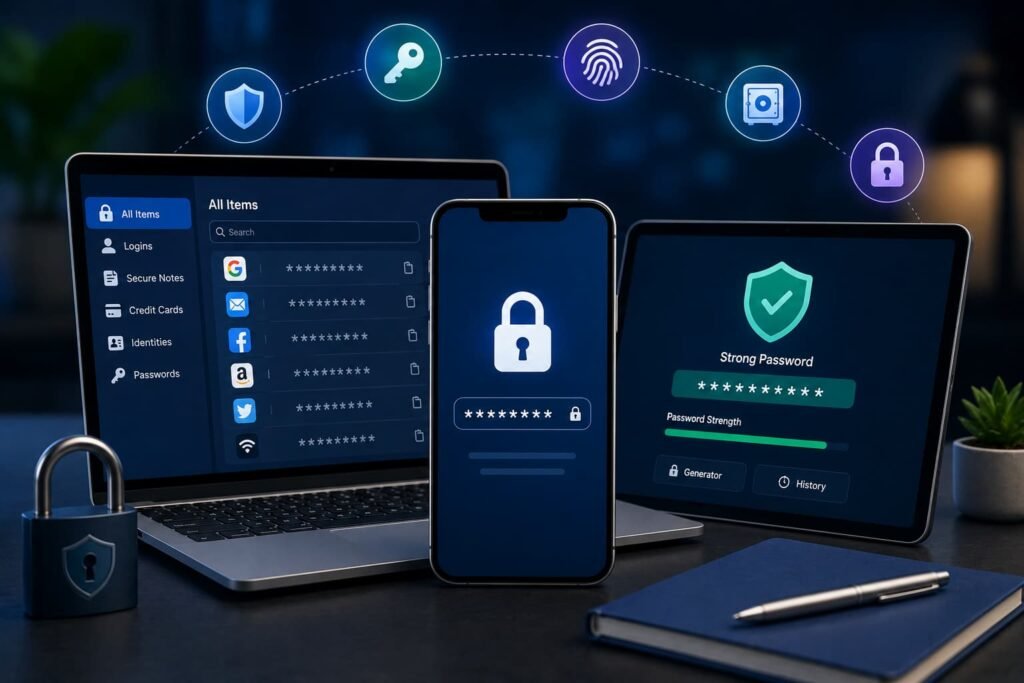
For UK users comparing the best password managers in 2026, 1Password offers one of the strongest all-round paid packages, while Bitwarden stands out for its capable free plan and open-source approach. Proton Pass is attractive to privacy-focused users, Keeper has strong business administration features, NordPass offers straightforward cross-platform password management, and Dashlane combines password storage with monitoring and a VPN.
This comparison is based on editorial desk research using official pricing pages, security documentation, support materials and published security evidence. The NCSC recommends using password managers to help maintain unique credentials and advises using passkeys where available.
6 Best Password Managers at a Glance
| Password Manager | Best For | Free Plan | Passkeys | Price Snapshot |
|---|---|---|---|---|
| 1Password | Best overall paid balance | No permanent free plan | Yes | US$2.99/month, paid annually |
| Bitwarden | Best free and open-source option | Yes | Yes | Free; Premium US$1.65/month, billed annually; tax excluded |
| Proton Pass | Best for privacy-focused users | Yes | Yes | Free; paid pricing is dynamically/localised at checkout |
| Keeper | Best for business-focused controls | Limited | Yes | Current Microsoft Edge listing: US$34.99/year; direct UK checkout may differ |
| NordPass | Best for straightforward discounted value | Yes | Yes | Premium advertised from €1.23/month; promotional rate, VAT excluded |
| Dashlane | Best for bundled monitoring and VPN features | No permanent free plan | Yes | Annual paid plans; current price depends on local checkout |
Pricing checked: 25 August 2026. Where a provider did not publish a verifiable static UK sterling price, the original currency or checkout status is shown instead of creating an approximate £ conversion. Promotional pricing should not be assumed to represent renewal pricing.
How We Selected These Password Managers
The shortlist is based on editorial desk research and publicly available evidence, rather than laboratory or long-term hands-on testing.
We considered encryption architecture, zero-knowledge or zero-access design, multi-factor authentication, passkeys, device and browser compatibility, secure sharing, recovery options, monitoring features, family and business functionality, free-plan restrictions, pricing, published security audits and documented security incidents.
Independent audit evidence was given weight where its auditor, scope and timing could be established. An audit represents a review of a particular product or system at a particular point in time; it does not guarantee permanent security. Bitwarden, Proton Pass and 1Password, for example, publish information about third-party security assessments.
The numbering below reflects editorial judgement rather than a mathematical security score.
1. 1Password — Best for Overall Paid Balance
1Password combines strong security architecture with useful features for individuals and households. Its vault uses end-to-end encryption, while the account password is supplemented by a separate Secret Key that contributes additional entropy to the account encryption process. 1Password documents AES-GCM-256 encryption and a zero-knowledge design.
It supports password and passkey management, autofill, secure sharing and multiple devices. The Individual plan currently starts at US$2.99 per month when paid annually, while Families supports five people.
Its main drawback for budget-conscious users is the absence of a permanent free plan. It is therefore better suited to people prepared to pay for a polished combination of security controls, sharing and cross-platform convenience.
2. Bitwarden — Best Free and Open-Source Option
Bitwarden is particularly suitable for users who want a capable free password manager without limiting themselves to a single device. Its free plan includes unlimited passwords, unlimited devices, passkey management and sharing with one other user. Premium costs US$19.80 per year, equivalent to US$1.65 per month, before applicable taxes.
Bitwarden’s codebase is open source, and the company publishes information covering external security assessments, including 2025 work involving Cure53, ETH Zurich’s Applied Cryptography Group and other specialists.
Premium is required for extras such as integrated authenticator functionality, emergency access, additional reports and expanded file storage. For users primarily interested in secure credential storage across many devices, the free tier remains unusually practical.
3. Proton Pass — Best for Privacy-Focused Users
Proton Pass combines password management with Proton’s broader privacy-focused approach. Its free tier provides unlimited logins, unlimited devices, passkey support, password alerts and a limited number of hide-my-email aliases. Paid plans add features such as built-in two-factor authentication, additional sharing, dark-web monitoring and emergency access.
Proton says vault information and metadata are end-to-end encrypted, while its applications are open source. Its platform coverage includes Windows, macOS, Linux, Android and iOS, alongside major browser extensions.
A 2026 assessment by Recurity Labs covered Proton Pass browser extensions, mobile and desktop applications and its command-line interface. Issues identified during the review were addressed and retested. This remains a point-in-time assessment, not a guarantee against future vulnerabilities.
4. Keeper — Best for Businesses and Administrative Controls
Keeper is worth considering where password management needs extend beyond individual vaults into controlled sharing and organisational administration. Its security documentation describes end-to-end encryption, a zero-knowledge architecture and the use of AES-256 and elliptic-curve cryptography. Keeper also publishes information about certifications and independent compliance assessments.
Passkeys can be created, stored and used through the Keeper Vault, with biometric or device authentication supported on compatible platforms.
The consumer Family plan supports five users, while business products provide additional administration and policy controls. One limitation is that BreachWatch dark-web monitoring is treated as an additional product rather than automatically included with every base consumer subscription.
5. NordPass — Best for Straightforward Discounted Value
NordPass offers applications for Windows, macOS, Linux, Android and iOS, alongside web and browser-based access. It supports storing and using passkeys across supported apps and browser extensions.
Its security documentation describes a zero-knowledge architecture in which encryption and decryption take place locally, using XChaCha20 encryption. NordPass has also undergone external assessment by Cure53.
The current site advertises Premium from €1.23 per month, but this is promotional pricing and the page states that displayed prices exclude VAT.
The free version has more restrictions than Bitwarden’s, including limits around multi-device access and several monitoring features. Users comparing cheap plans should therefore examine the renewal terms as well as the introductory rate.
6. Dashlane — Best for Bundled Monitoring and VPN Features
Dashlane’s Premium plan combines unlimited password and passkey storage with unlimited devices, secure sharing, dark-web monitoring, phishing protection and VPN access. Its Friends & Family plan can cover up to ten members, although VPN access has different family-plan restrictions. Dashlane no longer sells a permanent Free personal plan; new users can access a 14-day Premium trial.
There is an important recent security consideration. Dashlane disclosed that on 31 May 2026 an external attacker targeted its device-registration process. The company said encrypted vault copies belonging to fewer than 20 personal-plan users were downloaded, while its internal systems were not compromised. Dashlane subsequently introduced further device-registration and network protections.
That incident does not by itself establish whether Dashlane is safer or less safe than another provider, but it is relevant information for prospective users assessing security history and incident transparency.
How to Choose the Right Password Manager
Start with the security model rather than the number of extra features. Look for well-documented encryption, strong account authentication, credible security research and support for multi-factor authentication. The NCSC recommends using two-step verification for important accounts and choosing passkeys where services support them.
Next, check compatibility with every computer, phone and browser you regularly use. A secure password manager becomes less useful if it cannot work consistently across your devices.
Review recovery procedures carefully. Zero-knowledge systems may deliberately limit what the provider can recover, so understand what happens if you lose your master password, recovery key or authorised devices.
Families and businesses should compare sharing controls, separate user accounts and administration features. Finally, compare the normal renewal price, rather than deciding solely on an introductory discount.
Editorial Disclosure
Publisher note: This disclosure should be amended before publication to reflect the publisher’s actual commercial relationships.
Some companies mentioned in this article may have commercial relationships with the publisher, including advertising, affiliate, client or partnership arrangements. Where applicable, such relationships should not automatically determine inclusion or ranking. Readers should evaluate each password manager according to their own security, functionality and budget requirements.
Review Disclaimer
This article is for informational purposes and is based primarily on editorial desk research, official product documentation and publicly available independent evidence reviewed on 25 August 2026. Unless specifically stated otherwise, the editorial team did not purchase and conduct hands-on testing of every product listed.
Prices, features, security controls and policies can change. No password manager can guarantee complete protection against every cyber threat. Readers should confirm current pricing, compatibility, recovery procedures, security documentation and privacy terms directly with the provider before subscribing.
Frequently Asked Questions
Are password managers safe?
Reputable password managers can make it substantially easier to use strong, unique credentials rather than reusing passwords. They remain potential targets for attackers, so no service is risk-free. Strong account authentication, software updates, secure recovery procedures and careful evaluation of a provider’s security architecture remain important.
Is a free password manager good enough?
It can be. Bitwarden and Proton Pass currently offer free tiers covering core password management across multiple devices. Free plans may restrict features such as emergency access, integrated authentication, encrypted storage, monitoring or advanced sharing, so compare the limitations against what you actually require.
Can password managers store passkeys?
Yes. All six products in this comparison provide some form of passkey support, although exact capabilities and supported platforms differ. A provider may support storing passkeys for websites without supporting passkey-based login to every part of its own service. Check current device and browser requirements before relying on a particular implementation.
Final Thoughts
There is no universally best password manager for every UK user. 1Password offers a strong overall paid package, while Bitwarden is particularly attractive for users seeking a capable free and open-source option. Proton Pass suits privacy-focused users, Keeper has useful business controls, and NordPass provides a straightforward cross-platform alternative. Dashlane offers an unusually broad bundle of monitoring and VPN features, although its 2026 security incident deserves consideration.
Before subscribing, compare security architecture, authentication options, device support, recovery methods, sharing requirements and the regular price that will apply after any promotional period.
Last Checked: 24 August 2026 | Review Due: November 2026