
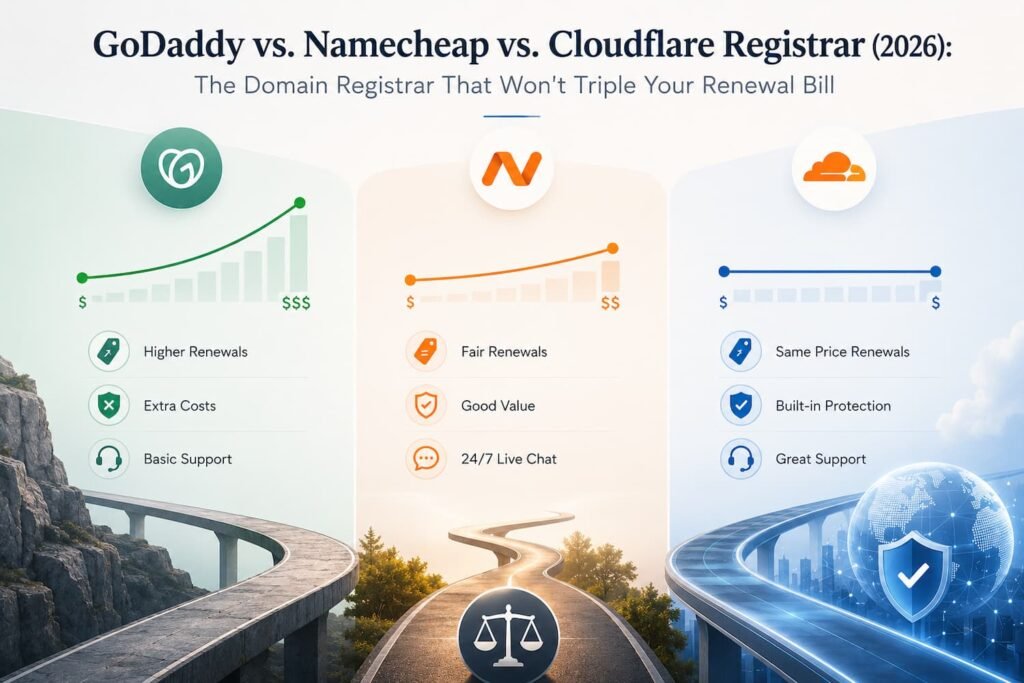
“You register a domain for £0.73. Twelve months later, the renewal invoice says £16.27. That’s not a glitch — it’s the business model. Most domain registrars make their real money on year two, after you’ve already built a website, printed the business cards, and have zero interest in migrating your DNS records over a £16 price hike.
This guide compares the three registrars small business owners and freelancers actually ask about in 2026: GoDaddy (the household name), Namecheap (the value-and-support middle ground), and Cloudflare Registrar (the at-cost option built for people who don’t mind a little DNS work). We looked at real registration and renewal pricing, privacy policies, support quality, and — because it matters more than most buying guides admit — what happens to your account terms after you sign up.
TL;DR
| Registrar | Best For | .com Registration | .com Renewal | WHOIS Privacy | Standout Trait |
|---|---|---|---|---|---|
| GoDaddy | Buyers who want a familiar brand and don’t mind the upsell flow | ~£0.73–£7.39 (promo) | ~£16.27+ | Paid add-on (~£7.39/yr) | Biggest registrar by volume, biggest renewal jump |
| Namecheap | First-time buyers who want low friction and free privacy | ~£4.43–£7.61 | ~£10.36–£11.84 | Free (WhoisGuard) | Best balance of low cost, support, and simplicity |
| Cloudflare Registrar | Technical users and anyone managing multiple domains long-term | ~£7.23–£7.73 (at cost) | Same as registration — no markup | Free, always on | Cheapest lifetime cost, but DIY DNS management |
Short version: if you want the lowest total cost over 5+ years and don’t mind a slightly technical dashboard, go Cloudflare. If you want the easiest first purchase with free privacy and real customer support, go Namecheap. Only pick GoDaddy if brand familiarity matters more to you than price — and read the pros and cons section below before you do.
Why Domain Pricing Is Deliberately Confusing
Before the breakdowns, it helps to understand the trick every registrar in this space plays to some degree. A domain has a wholesale price — what the registry (Verisign, for .com) actually charges. For a .com, that’s roughly £7.59 plus an £0.13 ICANN fee, landing around £7.73. Everything above that number is the registrar’s markup, and everything below it — the £0.73 and £1.39 first-year deals — is a loss leader designed to get your card on file before the renewal price kicks in.
That’s the entire reason this comparison exists. The registration price is marketing. The renewal price is the real price, because you’ll pay it every single year you own the domain. Judge a registrar on year two, not year one.
GoDaddy
What it is and who it’s for
GoDaddy is the largest domain registrar in the world by volume, and for a lot of buyers, it’s simply the name they already know. If brand recognition and one-stop-shop convenience (domains, hosting, email, and a website builder in a single account) matter more to you than getting the absolute lowest price, GoDaddy will get the job done — you just need to go in with your eyes open about the pricing structure and go in prepared to say no to a lot of upsells during checkout.
It’s a reasonable fit for someone who wants a single vendor for everything and values a big-name support line over a slightly cheaper renewal. It’s a poor fit for anyone planning to hold a domain for more than a year or two, or anyone who wants a clean checkout without add-on prompts.
Core Features
- Promotional first-year .com pricing, often between £0.73 and £7.39
- Bundled hosting, website builder, business email, and marketing tools available in the same account
- 24/7 phone and chat support
- Domain auctions and an aftermarket for premium/expired domains
- Broad brand recognition — useful if a client or partner needs to verify domain ownership quickly
Pros
- Extremely well-known, which can matter for enterprise clients or partners doing due diligence
- Huge selection of TLDs and add-on products in one place
- Aggressive first-year promo pricing makes testing a new domain idea cheap upfront
- Phone support is available around the clock, which some other registrars don’t offer
Cons
- Renewal pricing regularly jumps to £16.27+ on a domain that cost under £7.39 to register — commonly more than double
- WHOIS privacy, free at most competitors, is a separate paid add-on here (around £7.39/year)
- Checkout is widely described as an “upsell gauntlet” — hosting, SSL, extra privacy, and business tools are pushed hard before you reach the final total
- GoDaddy updated its terms of service in early 2026 to reclassify its customer base as “Business Customers,” a change reported to strip certain individual-consumer protections and add mandatory arbitration clauses — worth reading closely if you’re a solo freelancer registering under your own name
Namecheap
What it is and who it’s for
Namecheap has spent two decades building a reputation as the registrar people recommend to friends starting their first website. It sits in the sweet spot between GoDaddy’s brand recognition and Cloudflare’s bare-bones, at-cost approach: pricing is competitive, WHOIS privacy is free by default instead of an upsell, and the dashboard is simple enough that a non-technical business owner can manage DNS records without a tutorial.
It’s the best fit for freelancers, first-time domain buyers, and small businesses that want low friction without needing to learn how a registrar’s raw DNS tools work. It’s also a strong option if you want hosting, SSL, and email under the same account without GoDaddy’s aggressive upsell flow.
Core Features
- Competitive first-year pricing (commonly £4.43–£7.61 for a .com) with renewal in the £10.36–£11.84 range — a much smaller jump than GoDaddy’s
- Free WHOIS privacy (WhoisGuard) included by default on eligible TLDs, not sold as an add-on
- Free email forwarding included
- Straightforward hosting, SSL certificate, and email hosting add-ons if you want a single vendor
- Two-factor authentication support on the account level
- Live chat and ticket-based support
Pros
- One of the smallest gaps between promotional and renewal pricing among mainstream registrars
- Free privacy protection as a standard, not a checkout add-on
- Clean, well-organised dashboard that doesn’t require DNS expertise
- Strong reputation for customer support responsiveness compared to larger competitors
Cons
- Still not the cheapest possible renewal — Cloudflare and Porkbun both undercut it long-term
- First-year promotional pricing can vary a lot by TLD, so the deal that shows up in an ad isn’t guaranteed on every extension
- Upsells exist (hosting, SSL) though they’re noticeably less aggressive than GoDaddy’s
Cloudflare Registrar
What it is and who it’s for
Cloudflare Registrar takes a genuinely different approach: it sells domains at wholesale cost, with zero markup, and charges the same price at renewal as it did at registration — forever. There’s no promotional bait-and-switch because there’s no promotion to begin with. The trade-off is that Cloudflare Registrar isn’t really designed for new customers walking in cold — you need a Cloudflare account, and in most cases you’re transferring an existing domain in rather than registering a brand-new one directly through the interface in the same way you would at GoDaddy or Namecheap.
This is the right call for developers, agencies managing several client domains, and any business planning to hold a domain for the long haul, where the at-cost renewal compounds into real savings. It’s overkill, and arguably a worse fit, for someone who just wants to buy one domain today, point it at a website builder, and never think about DNS again.
Core Features
- At-cost pricing on renewal — no markup, ever, for as long as you own the domain
- Free WHOIS privacy included automatically, with no separate toggle or fee
- DNS management runs on Cloudflare’s own infrastructure, including DDoS mitigation and DNSSEC
- Deep integration with Cloudflare’s CDN, SSL, and security products if you’re already using them
- No hosting upsells, no bundled website builder — it does one thing
Pros
- The lowest lifetime cost of the three, by a meaningful margin once you factor in multiple renewal years
- Genuinely no markup — the price you see is the price you’ll always pay
- WHOIS privacy and strong DNS security features included without extra cost
- No upsell flow cluttering the checkout or dashboard
Cons
- You generally can’t register a brand-new domain directly the way you can elsewhere — most domains arrive via transfer, and transfers require a 60-day lock period to pass first at the prior registrar
- Requires comfort with a more technical dashboard; there’s no hand-holding wizard for beginners
- No bundled hosting, email, or website builder — you’ll need a separate vendor for anything beyond the domain and DNS itself
- Customer support leans self-service and community-based rather than phone-first
Head-to-Head Comparison
Pricing & Renewal Transparency
This is the category that actually separates these three, and it isn’t close. GoDaddy’s promotional pricing looks unbeatable on day one and becomes the most expensive option by year two, often more than doubling. Namecheap sits in the middle — a modest first-year discount with a renewal increase that’s real but nowhere near GoDaddy’s jump, landing in the £10.36–£11.84 range for a .com. Cloudflare Registrar wins outright on transparency: the registration price and every future renewal price are identical, because it’s charging exactly what the registry charges with no margin. Over a five-year hold on a single .com domain, the gap between Cloudflare and GoDaddy can run into the hundreds of pounds once you factor in a full domain portfolio rather than just one name.
Ease of Use & Domain Management
Namecheap wins here for the audience this guide is written for. The dashboard is built for someone who isn’t a network administrator — DNS records, privacy settings, and renewals are all a few clicks away with plain-language labels. GoDaddy is also approachable from a pure usability standpoint, but that ease of use is constantly interrupted by upsell prompts, which makes simple tasks feel like a sales funnel. Cloudflare Registrar is the most powerful of the three but the least beginner-friendly — DNS management is genuinely excellent if you know what you’re doing, but there’s no simplified mode for someone who just wants to point a domain at a website and move on.
Add-Ons & Ecosystem
GoDaddy has the broadest bundled ecosystem: hosting, business email, a website builder, and marketing tools are all one login away, which matters if you want a single vendor for everything and are willing to pay for that convenience. Namecheap offers a similar bundle — hosting, SSL, email — at a noticeably gentler price and with a less aggressive sales flow, making it the more balanced all-in-one option. Cloudflare Registrar deliberately stays narrow: it’s a domain and DNS product that plugs into Cloudflare’s broader CDN and security stack, not a general hosting company, so if you need website hosting or business email you’ll be pairing it with a separate provider regardless.
How Domain Transfers Actually Work (In Case Price Convinces You to Switch)
A lot of readers land on a comparison like this one already locked into a registrar they’re unhappy with, so it’s worth demystifying the transfer process — because it’s simpler than most people assume, and ICANN requires every registrar to follow the same basic steps:
- Unlock the domain at your current registrar (this is a setting in your account, not a support ticket).
- Retrieve the authorisation code (also called an EPP code) — usually available directly in the domain’s settings page.
- Start the transfer at the new registrar and enter the code when prompted.
- Wait five to seven days for the transfer to complete. Your website and email stay live the entire time — there’s no downtime involved.
- Confirm the transfer via the confirmation email sent to the address on file, if your registrar requires it.
One caveat specific to Cloudflare Registrar: it enforces a 60-day lock after a domain is registered or transferred before it can be moved again, which is standard ICANN policy rather than something unique to Cloudflare, but it’s worth planning around if you’re timing a switch.
Common Mistakes First-Time Domain Buyers Make
- Judging a registrar by the checkout-page price alone. The number you see at registration is frequently not the number you’ll pay at renewal. Always check the renewal price before you buy, not after your card is already on file.
- Skipping WHOIS privacy to save a few pounds. Without it, your name, email, and physical address are publicly searchable in the WHOIS database. Namecheap and Cloudflare include this for free; on GoDaddy, it’s worth paying for rather than skipping.
- Buying hosting and a domain from the same aggressive upsell flow without comparing prices separately. Bundled convenience is real, but it’s rarely the cheapest way to buy either product — price them out individually before agreeing to a bundle.
- Not enabling two-factor authentication on the registrar account. A domain is one of the highest-value things a small business owns online; losing control of it via a hijacked account is far more disruptive than losing £7.39 to a renewal fee.
- Registering under a personal name and address without checking privacy defaults. This especially matters for freelancers and solo founders who don’t have a business address to list instead.
Frequently Asked Questions
Is the cheapest registration price ever the best deal?
Rarely. A rock-bottom first-year price is a marketing tool, not a signal of long-term value. Compare the renewal price — the number you’ll actually pay in year two and every year after — before deciding.
Do I need to buy hosting from the same company as my domain?
No. A domain and web hosting are two separate products, and nothing requires you to buy them from the same provider. Keeping them separate often works out cheaper and gives you more flexibility if you want to switch hosts later.
Is WHOIS privacy actually necessary?
If you’re registering as an individual or a home-based freelancer, yes. Without it, your registration contact details are publicly visible in WHOIS lookups. Namecheap and Cloudflare Registrar both include it free by default; GoDaddy charges extra.
Will switching registrars break my website or email while the transfer is in progress?
No. A standard domain transfer doesn’t take your site or email offline — DNS records carry over, and the transfer window (typically five to seven days) happens in the background.
Final Verdict: Who Should Buy From Which Registrar
Buy from GoDaddy if brand familiarity and having every product — domain, hosting, email, website builder — under one login matters more to you than price, and you’re comfortable declining upsells at checkout and budgeting for a renewal price roughly double what you paid on day one. This is the right call for buyers who value a big, recognizable support line over the lowest possible cost, and who are aware of and comfortable with the 2026 terms-of-service changes affecting individual account holders.
Buy from Namecheap if you’re a freelancer, first-time website owner, or small business that wants the easiest possible experience without paying GoDaddy’s renewal premium or losing free WHOIS privacy to an upsell. This is the best all-around pick for the audience this guide is written for — low friction, fair pricing, and real support if something goes wrong.
Buy from Cloudflare Registrar if you’re technical, already using Cloudflare’s other products, or managing multiple domains where at-cost renewal pricing compounds into real savings over several years. Skip this option if you want a guided, beginner-friendly setup or plan to buy hosting and email from the same vendor as your domain — Cloudflare deliberately doesn’t offer either.
Whichever registrar you choose, the habit that saves the most money isn’t picking the cheapest name on day one — it’s checking the renewal price before you buy and calendaring a reminder to review it again before your next billing cycle.
Conclusion
Choosing a domain registrar is less about the headline registration price and more about the total cost and experience over the life of your domain. The biggest mistake most buyers make is focusing on a heavily discounted first-year offer while overlooking renewal fees, privacy costs, and long-term account policies.
For most freelancers, creators, and small businesses, Namecheap offers the strongest overall balance of affordability, free WHOIS privacy, ease of use, and reliable support. Cloudflare Registrar delivers the lowest long-term cost and the highest pricing transparency, making it the best choice for technical users and anyone managing multiple domains over several years. GoDaddy remains a viable option for those who value brand familiarity and an all-in-one ecosystem, but its higher renewal costs and paid privacy protection make it the most expensive long-term choice.
Ultimately, the registrar that saves you the most money is not the one with the cheapest first-year promotion—it is the one whose renewal pricing, privacy features, and account terms still make sense years after your website is live. Before registering any domain, take a few minutes to compare renewal costs, review privacy options, and understand the transfer process. That small amount of research can save both money and frustration for years to come.”
Last Checked: 24 August 2026 | Review Due: November 2026