
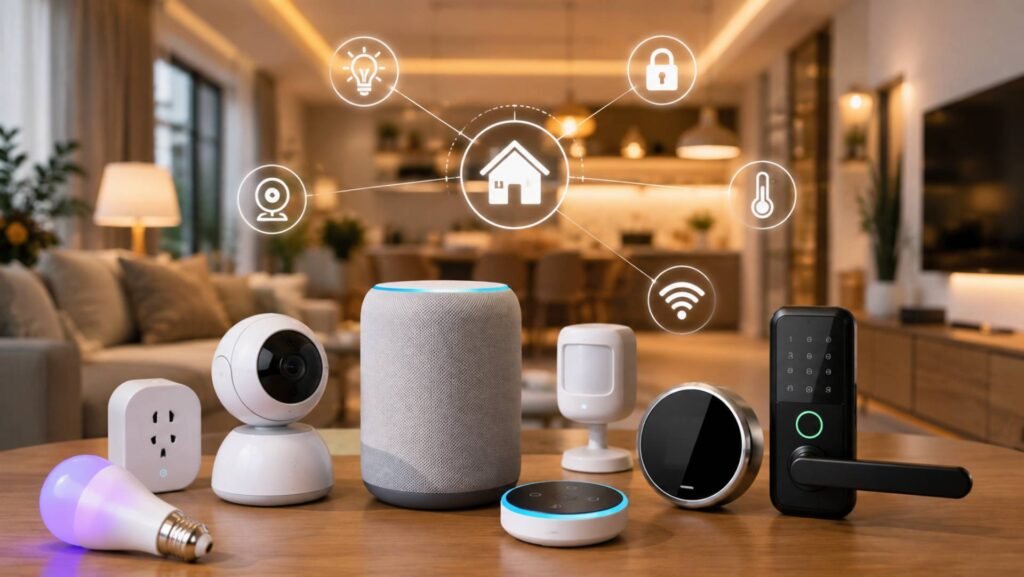
The best smart home devices in 2026 are not necessarily the gadgets with the longest feature lists. The most useful products automatically handle repetitive jobs such as adjusting temperature, controlling lights, cleaning floors, locking doors, detecting occupancy, monitoring entrances, and managing connected equipment.
For most households, compatibility matters almost as much as the device itself. Before buying, decide whether you primarily use Alexa, Google Home, Apple Home, Samsung SmartThings, or a combination of platforms. Matter can make cross-platform setups easier, but it does not eliminate every compatibility or feature difference.
Key Takeaways
- Philips Hue’s Bridge Pro starter kit is our best overall pick because lighting is used constantly and Hue combines extensive automation with unusually broad ecosystem compatibility.
- TP-Link’s Tapo P125M is the easiest low-cost starting point for beginners who want to automate lamps and ordinary plug-in appliances.
- Amazon Echo Hub is the strongest centralized controller on this list for Alexa-focused homes, with Matter, Thread and Zigbee support.
- Matter is useful, but Matter support alone should not determine a purchase. Platform-specific features can still differ.
- Security-camera and video-doorbell buyers should pay particular attention to subscriptions and video-storage policies.
- Strong passwords, multifactor authentication, firmware updates, and secure home Wi-Fi remain important regardless of ecosystem.
Quick Answer: Which Smart Home Devices Are Best in 2026?
Best Overall: Philips Hue Starter Kit with Bridge Pro
Best Smart Home Controller: Amazon Echo Hub
Best Budget/First Purchase: TP-Link Tapo P125M
Best for Climate Control: ecobee Smart Thermostat Premium
Best Presence Sensor: Aqara Presence Sensor FP2
Best Robot Vacuum: Roborock Saros 10R
Best Smart-Blind Upgrade: Eve MotionBlinds Upgrade Kit
Best Smart Lock: Schlage Encode Plus
Best Outdoor Camera System Without a Required Monthly Fee: eufyCam S3 Pro 2-Cam Kit
Best Video Doorbell for Alexa Homes: Ring Battery Doorbell 4K Pro
Editorial Disclosure
Product prices, specifications, compatibility, firmware capabilities and subscription requirements can change. Verify current details with the manufacturer or retailer before purchasing. Recommendations are independent editorial assessments based on information available at the time of research and do not represent first-hand product testing.
Best Smart Home Devices 2026 Compared
| Rank | Product | Best For | Approx. US Price* | Main Ecosystems | Matter | Subscription | Editorial Rating |
| 1 | Philips Hue Bridge Pro Starter Kit | Lighting/overall automation | $199.99 sale; $259.99 list | Alexa, Apple Home, Google Home, SmartThings | Yes, through Hue Bridge | No | 9.1/10 |
| 2 | Amazon Echo Hub | Whole-home control | $179.99 | Alexa, Matter devices | Yes; Thread border router | No for core controls | 8.9/10 |
| 3 | TP-Link Tapo P125M | Budget automation | $19.99 MSRP | Alexa, Apple Home, Google, SmartThings | Yes | No | 8.8/10 |
| 4 | ecobee Smart Thermostat Premium | Climate/energy | $259.99 | Apple Home, Alexa, Google, SmartThings | No native support confirmed | Optional security services | 8.5/10 |
| 5 | Aqara Presence Sensor FP2 | Presence-based routines | $82.99 | Apple Home, Alexa, Google, Aqara | No current native support confirmed | Some emerging features may vary | 8.4/10 |
| 6 | Roborock Saros 10R | Cleaning automation | $1,099.99 current price; $1,599.99 regular | Alexa, Google Home, Siri Shortcuts | Yes | No core plan identified | 8.4/10 |
| 7 | Eve MotionBlinds Upgrade Kit | Automated shades | $199.95 published US price | Major Matter ecosystems | Yes, over Thread | No | 8.2/10 |
| 8 | Schlage Encode Plus | Smart entry | About $289–$329 | Apple Home, Alexa, Google | No native Matter support confirmed | No | 8.2/10 |
| 9 | eufyCam S3 Pro 2-Cam Kit | Local-storage security | $549.99 | Apple Home, Alexa, Google | No current support confirmed | No required monthly storage fee | 8.1/10 |
| 10 | Ring Battery Doorbell 4K Pro | Alexa doorbell automation | $249.99 | Alexa/Ring | No current support confirmed | Optional but important | 7.7/10 |
*Prices were checked for the US market on August 25, 2026. Promotions, retailer pricing, finishes, configurations and bundles can change.
How We Chose the Best Smart Home Devices
Every product had to automate a useful household task rather than merely provide app-based remote control. Automation usefulness carried the greatest weight at 25%, followed by compatibility at 20%.
We also considered installation difficulty, required bridges or controllers, Matter and Thread implementation, subscription dependence, local operation, privacy/security features, price and current manufacturer support.
Matter products were not automatically ranked above non-Matter alternatives. For example, ecobee remains highly useful because of its established direct integrations, while Schlage Encode Plus delivers valuable Apple Home Key functionality without needing Matter.
Reliability was approached conservatively. Because no first-hand laboratory testing was supplied, the assessment uses documented platform maturity, integration breadth, update/support information and product architecture rather than invented long-term testing results.
1. Philips Hue Starter Kit with Bridge Pro — Best Overall
Why It Made Our List
Lighting is one of the easiest household systems to automate every day, and Philips Hue combines deep lighting routines with broad ecosystem compatibility. The current Bridge Pro starter kit includes three color-capable E26 bulbs and a smart button. Bridge Pro supports more than 150 lights and more than 50 accessories, while Matter integration is provided through the bridge.
Key features: scheduled and presence-based lighting, scenes, physical smart button, Hue Bridge automations, MotionAware support, Alexa/Apple Home/Google Home/SmartThings integration.
Everyday automation: Set hallway and kitchen lights to come on before sunrise and shut down automatically when everyone leaves.
Compatibility: Alexa, Apple Home, Google Home, Samsung SmartThings and Matter through the Hue Bridge. Hue primarily uses Zigbee rather than Thread.
Pricing: $199.99 during the promotion checked; regular price shown as $259.99.
Pros: excellent automation depth; unusually broad integrations; scalable system.
Cons: high initial cost; full capability depends on the Hue Bridge.
Best for: households building a serious multi-room lighting system.
Skip it if: you only need one inexpensive smart bulb.
Editor’s verdict: The strongest all-round choice because lighting provides frequent, visible automation benefits without requiring major home alterations.
2. Amazon Echo Hub — Best Smart Home Controller
Echo Hub gives Alexa households a dedicated eight-inch control panel instead of forcing users to manage everything through a phone. It supports Wi-Fi, Bluetooth, Zigbee, Matter, Thread and Amazon Sidewalk, and its dashboard can manage lights, plugs, cameras, locks, thermostats and routines. Current US retailers show it at $179.99.
Automation example: Tap a single “Good Night” routine to turn off compatible lights, adjust temperature and secure supported devices.
Compatibility: It is primarily an Alexa controller. Echo Hub is also a Thread border router, making it particularly useful for Alexa households adopting Matter-over-Thread devices.
Pros: multiple radios; central dashboard; strong automation control.
Cons: Alexa-centric; less compelling for households committed to Apple Home or Google Home.
Best for: homes with numerous Alexa-compatible products.
Skip it if: you have only a handful of connected devices.
Editor’s verdict: One of the clearest ways to turn a collection of Alexa devices into a centrally managed smart home.
3. TP-Link Tapo P125M — Best Budget Smart Home Device
The Tapo P125M demonstrates why a smart plug remains one of the best first purchases for beginners. Its $19.99 MSRP buys Matter support, scheduling, remote control, auto-off, Away Mode and compatibility with Apple Home, Alexa, Google and SmartThings.
Because it uses Matter over 2.4 GHz Wi-Fi, it does not require a Thread border router. TP-Link also states that already configured Matter control can remain available on the local network during an internet outage.
Automation example: Turn a living-room lamp on at sunset and automatically switch it off at bedtime.
Pros: inexpensive; simple installation; cross-platform Matter support.
Cons: on/off control cannot make a basic appliance genuinely “smart”; 2.4 GHz Wi-Fi only.
Best for: renters and first-time smart-home users.
Skip it if: you require advanced energy monitoring from the plug.
Editor’s verdict: The easiest low-risk way to discover whether home automation is useful to you.
4. ecobee Smart Thermostat Premium — Best for Climate Control
The ecobee Smart Thermostat Premium costs $259.99 and combines HVAC scheduling with occupancy sensing, remote control, an included SmartSensor and indoor air-quality monitoring. It integrates with Apple Home, Amazon Alexa, Google Assistant and Samsung SmartThings; Alexa is built in, while Siri functionality has additional Apple ecosystem requirements.
Automation example: Let the thermostat reduce unnecessary heating or cooling when the household is away and return to the preferred temperature before occupants arrive.
Matter/Thread: current ecobee documentation does not confirm native Matter or Thread support for this model.
Pros: useful every day; multi-room SmartSensor; strong major-platform support.
Cons: HVAC compatibility must be checked; installation is more involved than a plug or bulb.
Best for: homeowners prioritizing comfort and climate automation.
Skip it if: your HVAC system is incompatible or you cannot alter the thermostat.
Editor’s verdict: A better investment than many novelty gadgets because climate automation can operate quietly every day.
5. Aqara Presence Sensor FP2 — Best for Presence-Based Automation
The $82.99 Aqara FP2 uses millimeter-wave radar rather than a camera to detect whether someone is present—even when a person is relatively still. Aqara says one FP2 can cover about 430 square feet, divide a room into as many as 30 zones and detect up to five people, although it notes the best results occur with three or fewer.
Automation example: Keep reading lights on while someone sits still on a sofa, then switch them off only after the room becomes genuinely unoccupied.
Compatibility: Aqara, Apple Home, Alexa and Google Home; no Aqara hub is required. It needs continuous USB power and 2.4 GHz Wi-Fi.
Pros: powerful zone automations; no camera; no Aqara hub required.
Cons: positioning and room mapping require setup effort; wired rather than battery powered.
Best for: advanced presence-triggered routines.
Skip it if: basic motion detection is enough.
Editor’s verdict: One of the few sensors capable of making automations feel genuinely context-aware.
6. Roborock Saros 10R — Best Robot Vacuum
Roborock’s Saros 10R turns one of the most repetitive household jobs into an automated routine. Current manufacturer pricing is $1,099.99, down from a displayed regular price of $1,599.99. It combines vacuuming, mopping, obstacle navigation and a multifunction dock with automatic dust emptying and extensive mop maintenance.
Roborock explicitly lists Matter, Amazon Alexa, Google Home and Siri Shortcuts.
Automation example: Schedule cleaning after the household leaves, with different routines for carpeted and hard-floor areas.
Pros: high automation depth; sophisticated dock; Matter support.
Cons: expensive; requires considerable dock space; Roborock app required for intended functionality.
Best for: households that want to minimize manual floor cleaning.
Skip it if: your budget makes a simpler robot vacuum more sensible.
Editor’s verdict: The largest time-saver in the list, but also one of the hardest purchases to justify purely on value.
7. Eve MotionBlinds Upgrade Kit — Best Smart-Blind Upgrade
Eve’s MotionBlinds Upgrade Kit can motorize compatible existing roller shades rather than requiring complete replacement. Its published US price is $199.95, and the system uses both Matter and Thread.
That makes it particularly attractive in households with a compatible Matter controller and Thread border router.
Automation example: Open bedroom shades gradually in the morning and close sun-facing shades during periods of strong afternoon heat.
Compatibility: Matter allows integration with supported Apple, Alexa, Google and SmartThings environments, although the exact controller and Thread infrastructure still matter.
Pros: genuine environmental automation; Matter-over-Thread architecture; no required subscription.
Cons: compatibility with the existing blind tube must be checked; installation is more involved than adding a plug.
Best for: people who already have suitable roller shades.
Skip it if: your blind dimensions or mechanism are incompatible.
Editor’s verdict: A strong example of smart-home technology automating the physical home rather than simply adding another screen.
8. Schlage Encode Plus — Best Smart Lock
Schlage Encode Plus remains particularly compelling for Apple households because it supports Apple Home and Apple home keys, allowing compatible iPhones or Apple Watches to unlock the door with a tap. Built-in Wi-Fi also enables remote Schlage Home access without a separate bridge. Current pricing varies by trim and retailer, with Schlage listing a $329 MSRP and some retailers around $289.
It supports Alexa, Google Assistant, up to 100 access codes, auto-locking, activity history and customizable notifications.
Automation example: Automatically relock the entrance after a configured delay.
Pros: Apple Home Key; no bridge for Schlage remote access; strong physical lock credentials.
Cons: expensive; Matter is not a confirmed native feature.
Best for: Apple users or households managing guest access.
Skip it if: changing the existing deadbolt is not permitted.
Editor’s verdict: Its standout feature is not Matter—it is convenient, mature smart access.
9. eufyCam S3 Pro 2-Cam Kit — Best Outdoor Cameras Without a Required Monthly Storage Fee
The eufyCam S3 Pro two-camera system costs $549.99 and pairs with HomeBase S380. Current eufy documentation lists 4K cameras, integrated solar charging, 16 GB of built-in HomeBase storage, expansion up to 16 TB and integrations with Apple Home, Alexa and Google.
Eufy’s HomeBase model emphasizes local recording without a mandatory monthly storage charge.
Automation example: Trigger exterior lighting or alerts when supported security events occur.
Pros: substantial local-storage option; solar charging; no mandatory cloud-recording subscription.
Cons: higher upfront cost; Apple Home video functionality can be more limited than the native eufy experience.
Best for: buyers who dislike ongoing camera-storage charges.
Skip it if: you prefer an inexpensive single-camera setup.
Editor’s verdict: Its ownership model is the main advantage: higher initial cost in exchange for greater local-storage flexibility.
10. Ring Battery Doorbell 4K Pro — Best Video Doorbell for Alexa Homes
Ring’s current Battery Doorbell 4K Pro is priced from $249.99 and offers 4K Head-to-Toe HDR video, 3D motion detection, night vision and a removable battery design. Ring identifies it as a current newest-model battery doorbell.
Basic functions work without Ring Protect, but recording history, person/package/vehicle alerts and other significant features require a subscription. Ring Solo currently costs $4.99 per month or $49.99 annually for one device.
Automation example: Show a doorbell event on compatible Alexa displays and use Alexa routines with supported devices.
Pros: strong Alexa integration; renter-friendly battery power; advanced video features.
Cons: useful premium functionality is subscription-dependent; limited cross-ecosystem flexibility compared with Matter devices.
Best for: committed Alexa/Ring households.
Skip it if: avoiding recurring security-camera costs is a priority.
Editor’s verdict: Excellent within its ecosystem, but subscription dependence and platform lock-in reduce its overall score.
Which Smart Home Ecosystem Should You Choose?
Amazon Alexa
Alexa remains particularly strong when a household contains products from many different manufacturers. Echo Hub adds Zigbee, Matter and Thread connectivity plus a dedicated control screen. Amazon’s current developer documentation confirms local Matter control and Thread-border-router support on compatible Echo devices.
Best for: broad device choice, voice control and mixed-brand Alexa households.
Google Home
Google Home supports Matter devices through compatible Google hubs. Google also maintains Thread border-router capability in products including Nest Hub (2nd generation), Nest Hub Max and supported Nest Wi-Fi hardware.
Best for: households heavily invested in Google services and compatible Nest hardware.
Apple Home
Apple Home emphasizes integration across iPhone, Apple Watch, HomePod and Apple TV. Current Apple guidance lists HomePod mini, HomePod (2nd generation) and selected Apple TV 4K models as Thread-enabled home hubs.
Best for: Apple-device households, especially when Home Key, Siri and Apple Home automations are priorities.
Samsung SmartThings
SmartThings remains attractive for cross-brand automation and supports Matter, Zigbee and Z-Wave through compatible hubs. Samsung’s developer documentation also emphasizes local execution for hub-connected devices.
Best for: users who want more advanced mixed-brand routines and broad hub-level integration.
Do Matter and Thread Matter When Buying Smart Home Devices?
Yes, but they solve different problems.
Matter is a smart-home interoperability standard. Its purpose is to make compatible products easier to connect across participating ecosystems.
Thread is a low-power IP-based mesh network that some Matter accessories use. A Matter-over-Thread device generally needs access to a Thread border router.
Matter is also evolving quickly. Matter 1.5 added areas such as cameras and expanded closures, while Matter 1.6 arrived in June 2026 with improved commissioning and multi-ecosystem management.
The important limitation is rollout speed. A new Matter specification does not instantly upgrade every hub or product. Always check the specific device and ecosystem, not merely whether both display a Matter logo.
Older non-Matter products can also remain excellent choices when their native integrations are mature—as ecobee and Schlage demonstrate.
How to Choose Smart Home Devices
Start With the Problem
Buy automation for a task you already repeat. Lighting, climate control, cleaning and locking are usually better starting points than unusual connected appliances.
Choose Your Ecosystem
If most of your household uses iPhones and HomePods, Apple Home compatibility may matter more than an Alexa-exclusive feature. The reverse applies to an Alexa-heavy home.
Check Matter and Thread Separately
A Matter-over-Wi-Fi plug such as the Tapo P125M does not need a Thread border router. A Matter-over-Thread blind motor such as Eve MotionBlinds does.
Check Whether a Hub or Bridge Is Required
Hue gains its strongest features from a Hue Bridge. eufyCam S3 Pro uses HomeBase. Thread accessories need appropriate Thread network infrastructure.
Calculate Subscription Costs
A $50 annual camera plan becomes $250 over five years. Compare recurring costs rather than purchase price alone.
Consider Renters vs. Homeowners
Renters can start with bulbs, plugs, portable cameras and sensors. Homeowners can more easily justify thermostats, deadbolts, switches and permanent shade automation.
Best Smart Home Devices by Use Case
Choose Philips Hue if: lighting is your main automation priority.
Choose Echo Hub if: you want one Alexa-focused control panel for many devices.
Choose Tapo P125M if: you are new to home automation or have a small budget.
Choose ecobee if: heating and cooling are your main targets.
Choose Aqara FP2 if: you want automations triggered by actual room presence.
Choose Roborock if: eliminating repetitive floor cleaning is the biggest goal.
Choose Eve if: you want shades to react automatically to schedule or household routines.
Choose Schlage if: convenient smart entry and Apple Home Key matter.
Choose eufy if: local security-camera storage is important.
Choose Ring if: your home is already centered on Alexa and Ring.
Useful Smart Home Automations You Can Create
Morning
Open compatible shades, increase selected lights gradually and return the thermostat to daytime comfort settings.
Leaving Home
Turn off compatible lighting and plugs, reduce HVAC use, lock supported doors and place security devices into the appropriate away state.
Arriving Home
Activate entry lighting and restore preferred climate settings based on supported presence or location triggers.
Movie Night
Dim smart lighting and activate compatible entertainment scenes with one routine.
Bedtime
Switch off common-area lights, verify or lock supported doors and adjust bedroom temperature.
Energy-Saving Routine
Use occupancy or presence information to reduce lighting, plug loads, heating or cooling in unused areas.
Exact routines depend on what each ecosystem allows and which products have been linked to it.
Are Smart Home Devices Safe and Private?
Smart-home devices can be used safely, but every internet-connected camera, microphone, lock, thermostat and hub adds another account or device requiring protection.
The FTC recommends changing default credentials, using unique passwords, enabling two-factor authentication where available, encrypting home Wi-Fi and keeping devices and routers updated.
NIST’s updated 2026 IoT guidance also places importance on manufacturer cybersecurity practices across the product lifecycle, including maintenance, customer communication, support and end-of-life considerations.
Prefer manufacturers that publish security updates and support information. Review camera and microphone settings, activate MFA where available, install firmware updates promptly and consider placing security cameras or other sensitive IoT equipment on an appropriately separated home network when practical.
No connected platform should be described as completely private or completely secure.
How Much Does a Useful Smart Home Setup Cost?
Using prices checked on August 25, 2026:
Basic Setup — About $399.97
- Tapo P125M: $19.99
- Philips Hue Bridge Pro starter kit: $199.99 promotional price
- Echo Hub: $179.99
Mid-Range Setup — About $1,032.31
Add:
- ecobee Smart Thermostat Premium: $259.99
- Aqara FP2: $82.99
- Schlage Encode Plus: $289.36 current retailer price used for calculation
Advanced Setup — About $3,132.23
Add:
- Ring Battery Doorbell 4K Pro: $249.99
- eufyCam S3 Pro 2-Cam Kit: $549.99
- Roborock Saros 10R: $1,099.99 promotional price
- Eve MotionBlinds Upgrade Kit: $199.95 published US price
Editorial calculation based on researched retail/start prices.
This advanced figure demonstrates why a smart home should be built gradually. It also uses temporary promotional pricing for Hue and Roborock; the total can rise materially when promotions end.
Pros and Cons of Smart Home Automation
Benefits
- Automates repetitive household tasks
- Enables remote control and monitoring
- Can improve climate and energy management
- Adds useful security notifications
- Improves accessibility
- Allows several actions to run as one routine
- Can save meaningful time through automated cleaning
Limitations
- Significant upfront cost for larger systems
- Camera/security subscriptions can accumulate
- Ecosystem incompatibilities remain
- Some products depend heavily on cloud services
- Connected cameras and microphones introduce privacy considerations
- Apps and bridges can multiply
- Permanent devices can require more difficult installation
- Switching ecosystems later can be inconvenient
Frequently Asked Questions
What are the best smart home devices in 2026?
Our highest-rated choices are Philips Hue’s Bridge Pro starter kit, Amazon Echo Hub, TP-Link Tapo P125M, ecobee Smart Thermostat Premium, Aqara FP2 and Roborock Saros 10R. The right device depends on which household task you want to automate.
What smart home device should I buy first?
For most beginners, start with a smart plug or lighting. The Tapo P125M costs relatively little and supports Matter, while Philips Hue offers considerably deeper lighting automation.
What is the easiest way to automate a home?
Choose one ecosystem, automate one repeated task and expand gradually. Lighting and smart plugs generally require less installation than thermostats, locks or permanent switches.
Are smart home devices worth the money?
They can be when they automate something you use frequently. A thermostat, robot vacuum or lighting system may provide far more daily value than a connected product that still requires regular manual interaction.
Can Alexa, Google Home and Apple Home products work together?
Sometimes. Matter can allow compatible products to participate in more than one ecosystem, but platform-specific functions may differ. Direct integrations and device type support must still be checked.
What is Matter in smart home technology?
Matter is an interoperability standard developed through the Connectivity Standards Alliance. It creates a common framework for supported smart-home products and ecosystems. The current specification is Matter 1.6 as of August 2026.
Do smart home devices work without the internet?
Some do partially. Local Matter, Zigbee or Thread functions may continue when the internet fails, depending on the product and controller. Cloud-based remote access, voice services and some advanced features may become unavailable.
How much does it cost to automate a home?
A useful starter system can be built for a few hundred dollars, while multi-room lighting, climate control, security, locks, automated shades and premium robot cleaning can push a setup into several thousand dollars. Ongoing subscriptions should be included in the calculation.
Final Recommendations
Best Overall — Philips Hue Bridge Pro Starter Kit: The combination of everyday usefulness, sophisticated automation and cross-platform integration makes smart lighting the most broadly useful starting system.
Best for Beginners — TP-Link Tapo P125M: Low cost and Matter support make it an easy first experiment.
Best Control Center — Amazon Echo Hub: The strongest choice here for managing a substantial Alexa household.
Best for Energy and Climate — ecobee Smart Thermostat Premium: Automates an important system rather than adding convenience alone.
Best Cleaning Automation — Roborock Saros 10R: Expensive, but potentially the largest direct time-saver.
Best Smart Security Without a Required Storage Plan — eufyCam S3 Pro: Strong local-storage architecture for buyers who dislike mandatory monthly camera fees.
The best purchase is ultimately the one that solves a repeated problem and fits the ecosystem already in your home. Compatibility, subscription costs and automation needs should come before popularity.
Editorial Disclosure
Product prices, specifications, compatibility, firmware capabilities and subscription requirements can change. Verify current details with the manufacturer or retailer before purchasing. Recommendations are independent editorial assessments based on information available at the time of research and do not represent first-hand product testing.
Last Checked: August 25, 2026
Review Due: November 25, 2026